
Download EML MAI Reader PRO – Powerful Email Viewer & Converter
Overview
EML MAI Reader PRO is a professional‑grade email client designed for Windows users who need to view, manage, and convert a wide variety of email file formats. Unlike basic viewers that only open .eml files, this tool supports Outlook PST, OST, MHT, MSG, as well as standard EML archives, making it a versatile solution for both personal and corporate environments. The program presents messages with exact formatting, retains recent history for quick navigation, and allows users to rename or delete individual emails directly from the interface. With built‑in search capabilities, batch export to MBOX or PDF, and the ability to convert email content into image formats, EML MAI Reader PRO streamlines the often‑cumbersome process of handling large email collections. Although it offers a free trial, the full licensed version is priced at $24.99, delivering a secure, regularly updated tool that respects privacy and complies with industry standards. Whether you’re an IT administrator needing to audit mailbox archives, a legal professional extracting evidence, or a casual user who simply wants a reliable way to read saved emails, EML MAI Reader PRO provides a robust, user‑friendly experience.
Key Features and Benefits
- Supports multiple email formats: EML, PST, OST, MHT, MSG.
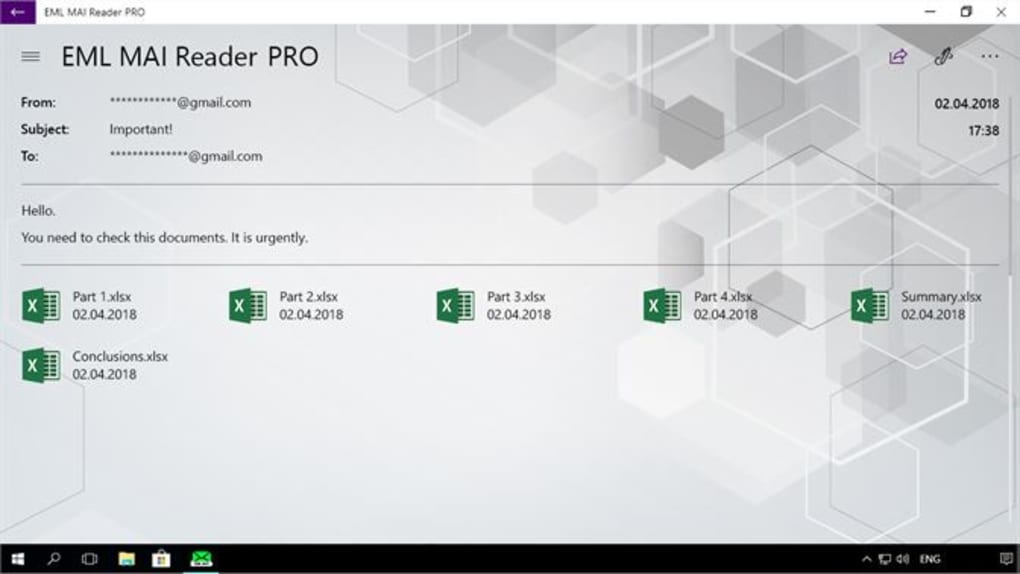
- High‑fidelity rendering of message bodies, attachments, and embedded images.
- Advanced search with keyword, date‑range, and sender filters.
- Batch export to MBOX, PDF, and common image formats (PNG, JPEG).
- Rename, delete, or move selected emails directly within the viewer.
- Silent deployment via MSI for corporate roll‑out.
- Free trial with full feature access; licensed version removes all limitations.
- Regular security updates and 24/7 technical support.
Why These Features Matter
Modern workplaces often accumulate massive volumes of email data across different clients and file types. The ability to open PST and OST files without launching Outlook saves time and reduces system overhead. Precise rendering guarantees that legal teams and auditors see the exact content as originally received, which is crucial for compliance. Batch exporting to MBOX or PDF simplifies migration to other platforms or archiving for long‑term storage. Converting emails into image formats helps share single messages in presentations or reports without exposing the underlying data structure. Silent MSI deployment is a boon for IT departments that need to install the software on dozens or hundreds of machines without user interaction. Finally, the combination of a free trial and a modest one‑time purchase price ($24.99) makes EML MAI Reader PRO an accessible solution for both small businesses and large enterprises.
Installation, Usage & Compatibility
Step‑by‑Step Installation
Downloading and installing EML MAI Reader PRO is straightforward. Begin by visiting the official website and clicking the Download button for the Windows installer (EXE) or the MSI package for silent deployment. Once the file is saved, run the installer and follow the on‑screen prompts: accept the license agreement, choose the installation folder (default is C:\Program Files\EML MAI Reader PRO), and click Install. For MSI deployments, use the command line: msiexec /i EMLMAIReaderPRO.msi /quiet, which installs the software silently across networked machines. After installation, launch the application from the Start menu or desktop shortcut.
Getting Started with the Interface
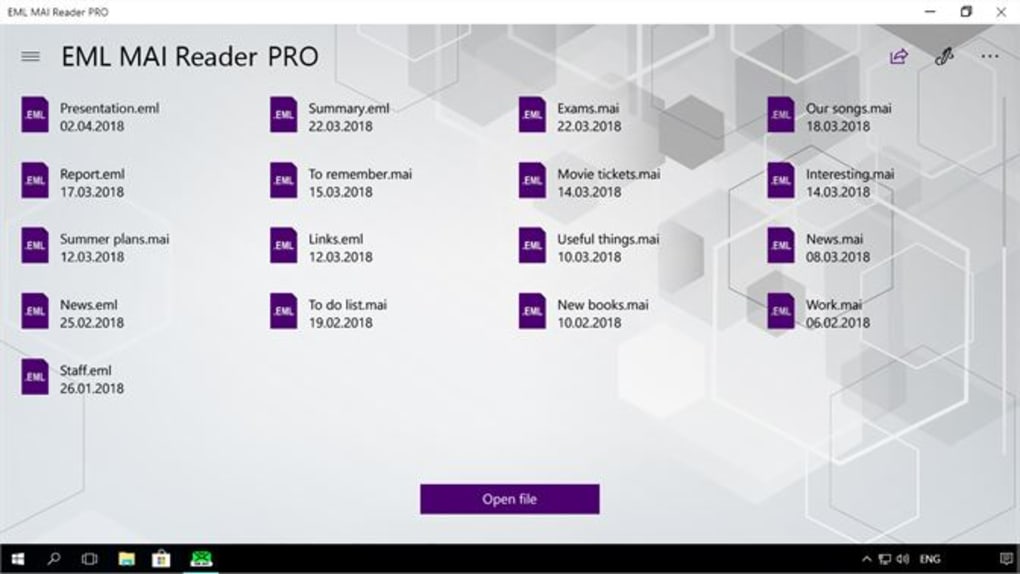
The main window is divided into three panes: a folder tree on the left, a message list in the center, and a preview pane on the right. Drag‑and‑drop an .eml, .pst, or .msg file onto the folder tree to load its contents. Use the search bar above the message list to filter by sender, subject, or date. Right‑click any message to access context actions such as Rename, Delete, Export to PDF, or Convert to Image. The preview pane renders HTML content accurately, and any attachments appear as clickable icons that can be saved directly to your device. For bulk operations, select multiple rows using Shift‑click or Ctrl‑click, then choose the desired export or conversion option from the toolbar.
Operating System Compatibility
EML MAI Reader PRO is built specifically for Windows 10, Windows 11, and Windows Server 2016/2019. The software leverages native Windows APIs to ensure optimal performance and reliable handling of large PST/OST files. While there is currently no native macOS or Linux version, the program can be run on those platforms using virtualization tools such as VMware or Parallels, provided a compatible Windows environment is available.
Pros, Cons, and Frequently Asked Questions
Pros & Cons
- Pros:
- Supports a wide range of email formats.
- Accurate rendering of complex HTML emails.
- Powerful batch export and conversion tools.
- Silent MSI deployment for enterprises.
- Reasonable one‑time price with free trial.
- Cons:
- No native macOS or Linux version.
- Full functionality requires a paid license.
- Initial loading of very large PST files can be memory‑intensive.
FAQ
Can I open encrypted PST files?
Yes. EML MAI Reader PRO includes support for password‑protected PST files. When you attempt to open an encrypted archive, the software prompts you for the password and then decrypts the contents for viewing.
Is there a limit to the number of emails I can load?
The application imposes no artificial limit. The practical limit depends on your system’s RAM and CPU; large PST files (over 20 GB) may require more memory, but the software is optimized to handle sizable archives efficiently.
How does the PDF export retain email formatting?
When exporting to PDF, EML MAI Reader PRO uses a built‑in rendering engine that captures the exact HTML layout, embedded images, and attachment icons, ensuring the resulting PDF mirrors the original email appearance.
Can I batch‑convert emails to image files?
Absolutely. After selecting multiple messages, choose the Convert to Image option and pick your preferred format (PNG or JPEG). The software will generate individual image files for each email, preserving visual fidelity.
What kind of technical support is offered?
Licensed users receive priority email support and access to an online knowledge base. The support team typically responds within 24 hours and can assist with installation, licensing, and advanced usage scenarios.
EML MAI Reader PRO delivers a comprehensive set of tools for anyone who needs to access, search, and export email archives. Its support for multiple formats and the ability to convert messages to PDFs or images make it a standout choice. The only drawbacks are the lack of native macOS support and the memory requirements for very large PST files. Overall, it offers excellent value for the price.
Conclusion – Should You Download EML MAI Reader PRO?
For professionals who regularly work with email archives, EML MAI Reader PRO is a powerful, secure, and easy‑to‑use solution. Its broad format compatibility, precise rendering, and batch export capabilities eliminate the need for multiple, fragmented tools. While the software is Windows‑only, the ability to deploy it silently via MSI makes it ideal for corporate environments. The modest one‑time cost of $24.99, combined with a free trial, lets you evaluate the full feature set before committing. If you need to read PST/OST files without Outlook, convert emails into PDFs for legal review, or simply manage a personal library of saved messages, this application offers a reliable, regularly updated platform that respects your data privacy.
Ready to experience hassle‑free email management? Download EML MAI Reader PRO now and start converting, searching, and sharing your emails with confidence.







